Design a Use Case Model
Actors and use cases pulled from your routes and screens, detailed by chat reading the real code behind them — not invented from a title.
What is a Use Case Model?
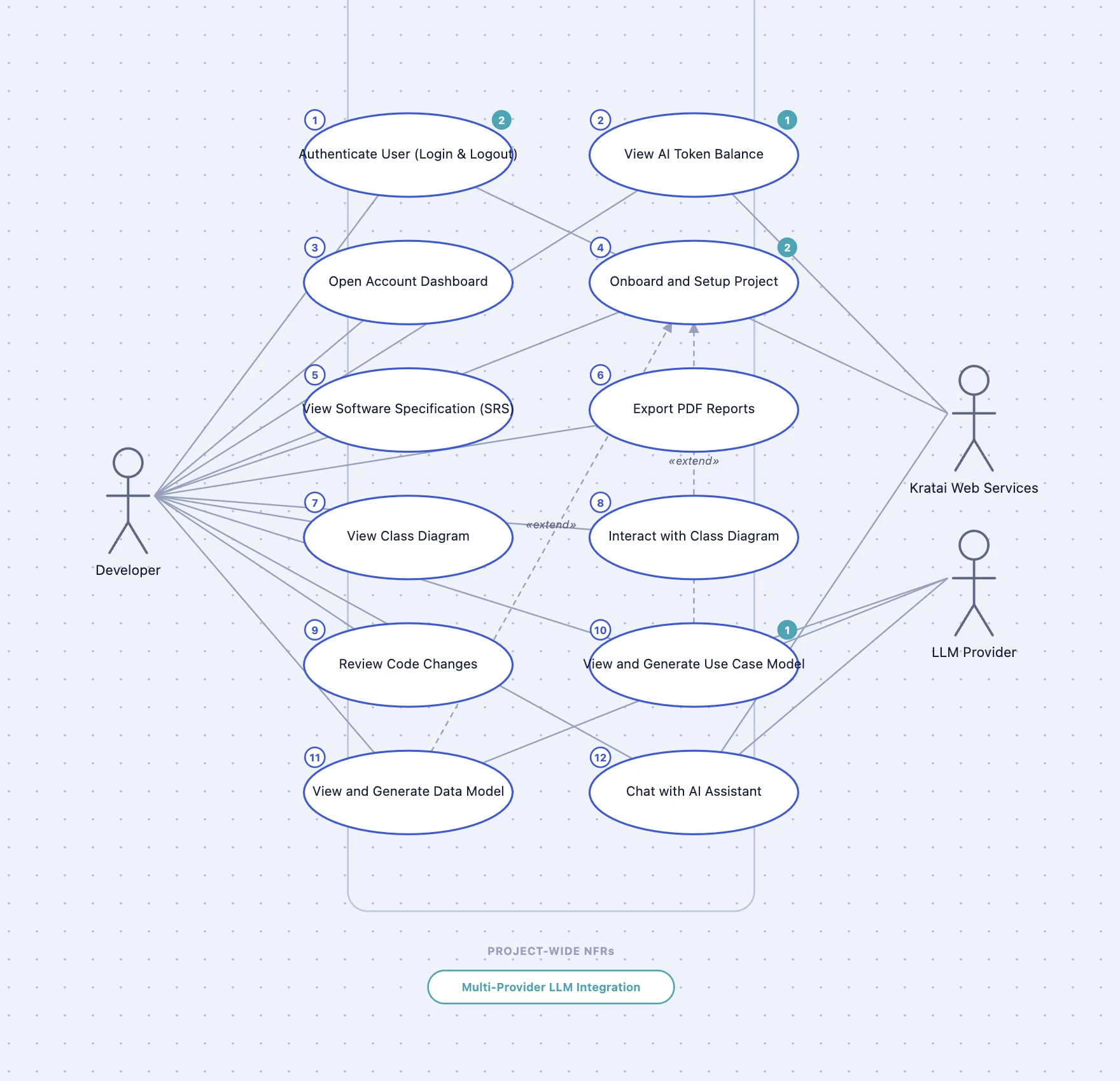
A Use Case Model gives a system-level view of who uses an application and what they can do with it. It shows every actor — the people or external systems that interact with the application — along with the use cases each one can trigger, drawn inside a boundary that marks what belongs to the system and what doesn't. At a glance, it answers two questions: who are the users, and what can each of them actually do.
What is a use case?
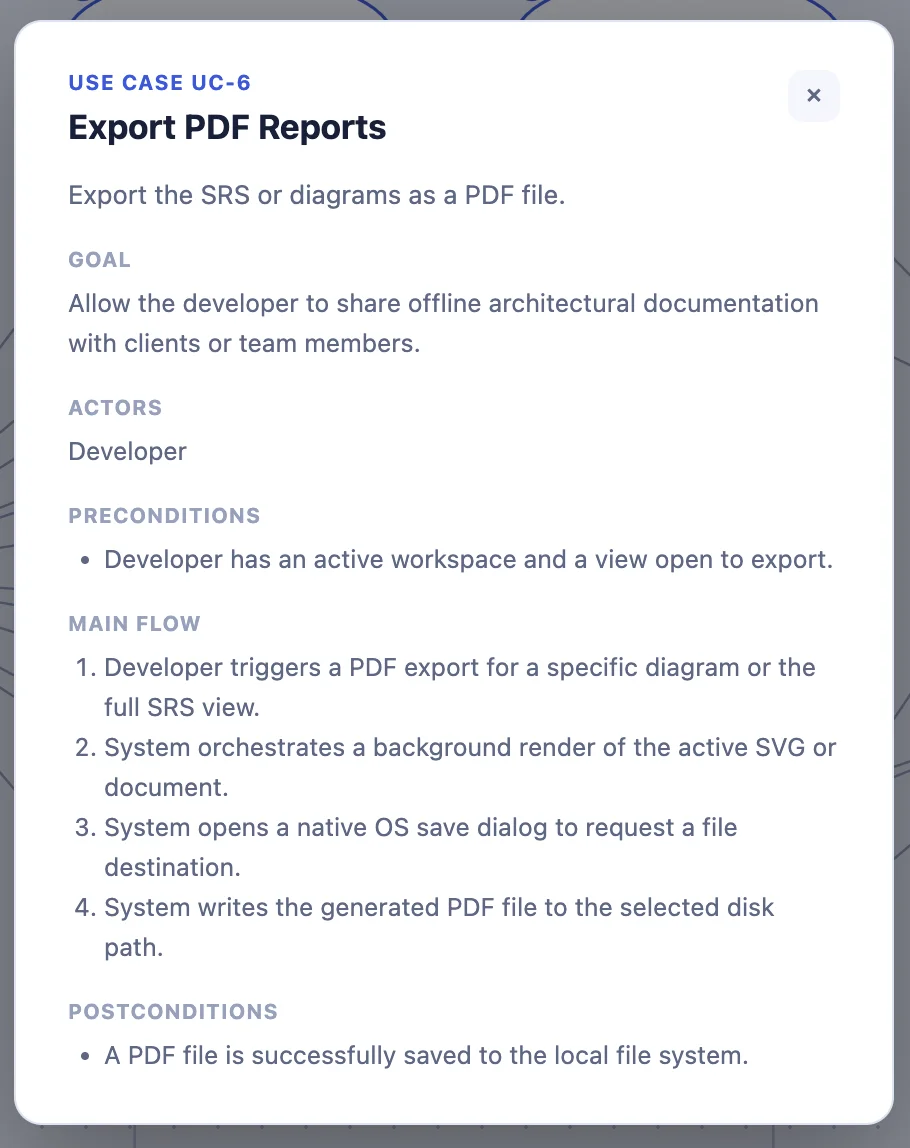
A use case describes one specific thing an actor can do with the system — not the whole feature set, just one trigger and one outcome. Once detailed, each one breaks down into four parts:
- Goal — the underlying need the use case serves, not just the mechanical steps.
- Preconditions — what has to already be true before the use case can start.
- Main flow — the actor/system steps, in order, that get from the trigger to the goal.
- Postconditions — what's true once the use case completes successfully.
Together, those four fields are precise enough that a use case works as a standalone UAT script — a developer, a client, and a tester can all check it off the same way.
Working with kratai's chat
A Use Case Model generates automatically the first time you open a project, alongside the Data Model — see Your First Project. If one doesn't exist yet for a project, ask chat to generate it, or use the Generate control in the Use Case Model view directly.
From there, chat is how you keep the model comprehensive: ask it to add, edit, or remove a use case or actor in plain language — “add a use case for resetting a password” or “merge these two use cases, they're the same goal.” Every use case gets an ID (UC-1, UC-2, ...) the moment it's created, so a client can check off “UC-3: done” and your coding agent can be told “implement UC-3” and know exactly what that means.
Ask chat to flesh one out — “add detail to UC-3” or just “detail this use case” — and it reads the actual route/handler code behind it before writing the goal, preconditions, main flow, and postconditions.
If kratai can't confirm the real flow from the code, it leaves the field unset rather than inventing a plausible-sounding one. A missing field is a prompt to fill it in yourself; a wrong one would quietly become something a client or a coding agent treats as ground truth.
The diagram updates to match every edit, so you always have a visual, at-a-glance view of the full set of actors and use cases — not just a list buried in a document.
What is a Non-Functional Requirement?
A non-functional requirement (NFR) describes a quality the system must have while doing what it does, rather than a behavior it must provide — how fast, how secure, how reliable, not what it does. FURPS+ is a classic way to make sure you're not missing a category when you're thinking through what to specify:
- Functionality — the feature set and capabilities, security included.
- Usability — how easy and consistent the system is to use.
- Reliability — how often it fails, and how it recovers when it does.
- Performance — response time, throughput, and resource use under load.
- Supportability — how easy it is to maintain, test, configure, and deploy.
- + (constraints) — design, implementation, interface, and physical constraints that don't fit the other five.
It's a checklist for thinking it through, not a taxonomy kratai enforces — an NFR in kratai is just a short piece of text with an ID, scoped the way you choose.
Use case-specific NFRs
Scoped to a single use case and shown inline with it — ask chat “add an NFR to UC-3 about response time.”
Project-wide NFRs
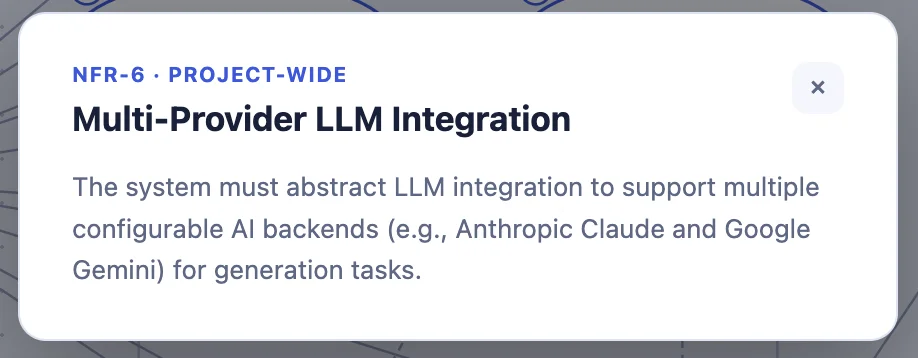
Apply to the whole system and shown in their own section of the spec — ask chat “add a project-wide NFR about our brand color.” Like use cases, each NFR gets its own ID (NFR-1, NFR-2, ...).
Next: Design a Data Model
With actors and use cases in place, the next piece is the data they work with. See Design a Data Model for how to generate and edit it.