Design a Data Model
Entities and relationships pulled straight from your schema and data-access code — always grounded, never invented.
What is a Data Model?
A Data Model captures two different aspects of the data a system works with, and it's worth keeping them separate in your head.
The first is the technical view: the actual data structure — entities, their attributes and types, and how information is stored and flows through the system. This is the part closest to a database schema or an ORM definition, and it's what a developer reads to know exactly what to build against.
The second is the business-rule view: what a relationship between two entities actually means for how the business works, not just how the tables are wired together. “A User has many Orders, but an Order belongs to exactly one User” is a rule about the business, not a database detail. When a data model leans heavily into this aspect — modeling the concepts and rules of the business rather than the storage shape — it's often called a domain model instead.
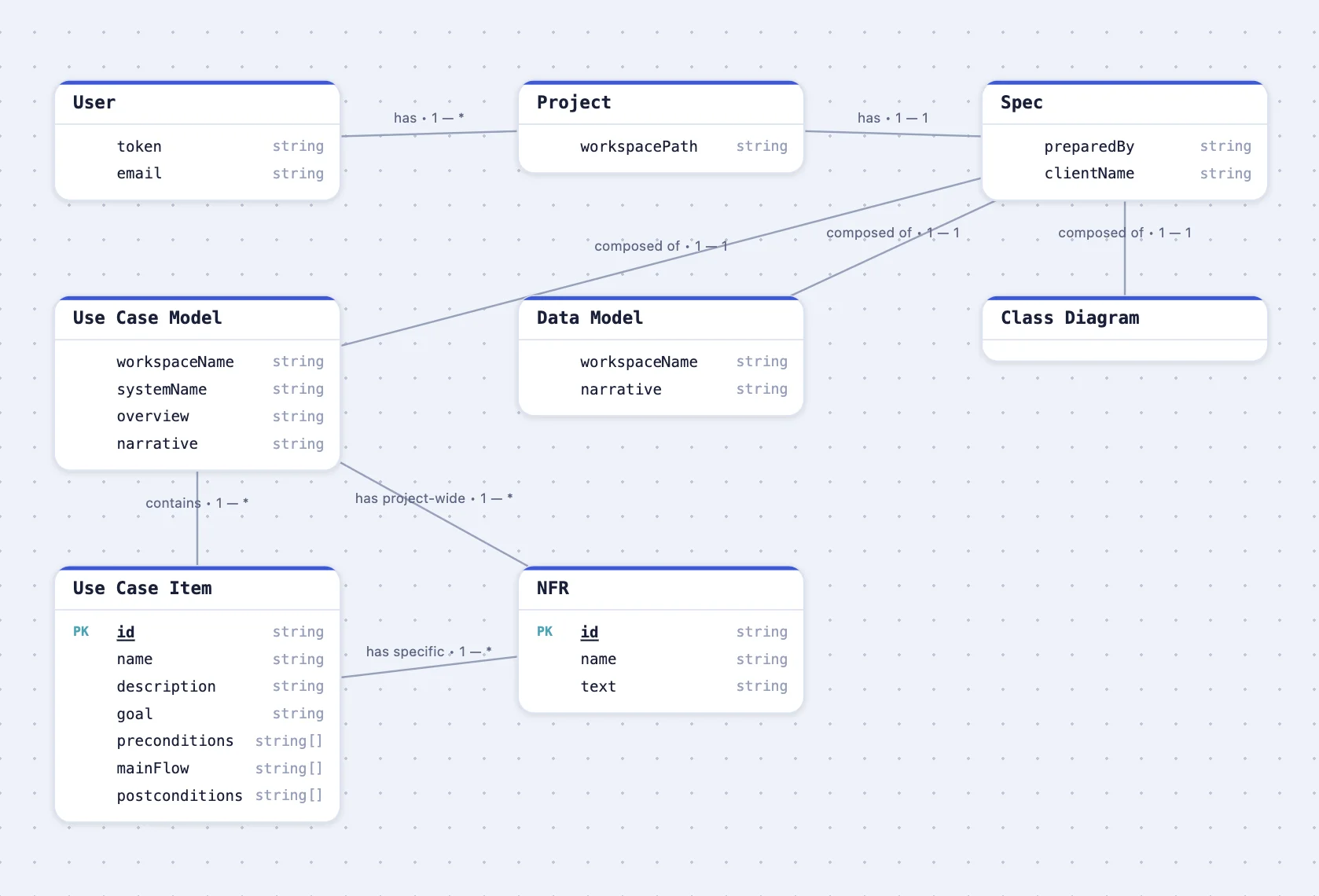
What is an entity?
An entity is one real “thing” the system tracks — a User, a Project, an Order. Each one breaks down into two parts, and they map directly onto the two aspects above:
- Attributes — the fields it has and their types: the technical aspect made concrete at the level of one entity. A User might have an
email(string) and acreatedAt(timestamp). - Relationships — how it connects to other entities (one-to-one, one-to-many, many-to-many). This is usually where the business-rule aspect lives: the label on a relationship, not just its existence, is what tells you what the connection actually means.
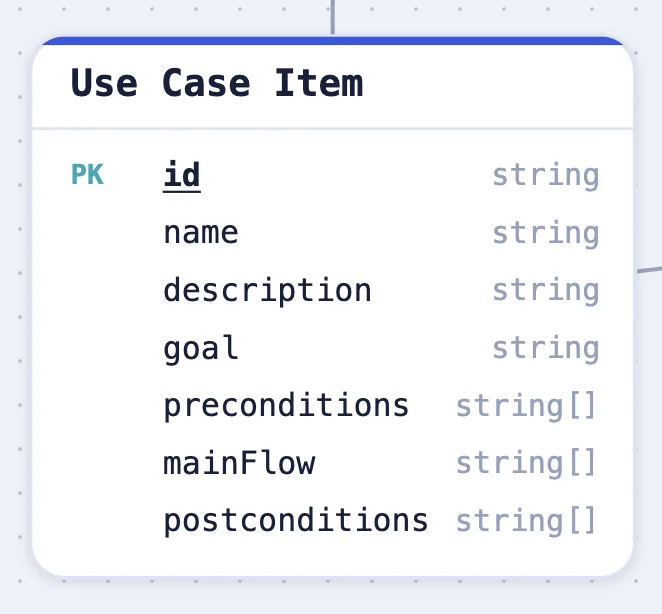
A relationship like “a Use Case Model has many project-wide NFRs” isn't just a foreign key — it's a business rule, and the diagram above shows it exactly that way: labeled, with its cardinality, not hidden in a migration file.
Working with kratai's chat
A Data Model generates automatically the first time you open a project, alongside the Use Case Model — see Your First Project. If one doesn't exist yet for a project, ask chat to generate it, or use the Generate control in the Data Model view directly.
From there, chat is how you keep it current: ask it to add, rename, or remove an entity or relationship in plain language — “add a createdAt timestamp to the User entity” or “this should be a one-to-many, not one-to-one.” Edits save immediately, and the diagram updates to match.
kratai reads your actual schema and data-access code — migrations, ORM models, table definitions, whatever your stack uses — so both aspects come from what's really there, not a conceptual domain-modeling exercise done up front. That keeps it close to what you'd actually need to confirm with a client or hand to a developer; see How kratai Works for why that grounding matters.
Next: Export an SRS
With both the Use Case Model and Data Model in place, you have a complete spec. See Export an SRS for how to turn it into a formatted document.